So. It's 2026, and you're on WordPress. Finding an agency that specializes in AND recommends WordPress is getting rarer and rarer.
If you're on WordPress and trying to make significant changes to your site, I recommend switching to a different Content Management System (CMS) like Squarespace. For most creative agencies, the workload and consequent cost of recreating your site from scratch on Squarespace are less than the cost of making significant changes to your site on WordPress. There are still cases in which something a client needs cannot be accomplished using the customizations and integrations available through Squarespace, but I find this incredibly rare.
Here are some tips when it comes to deciding on your content host:
Hire a professional. Let's be honest: you don't have the time for the technical shenanigans. You're busy. You need an expert to help you navigate the decision-making process.
Focus on your goals. Instead of thinking about the technical changes, list your greater dreams for your current site and your business, blog, whatever. That's the helpful part.
Critically assess what kinds of changes you're looking to make. Any significant changes to your template will necessitate many more changes to other plugins on the site, and the costs of all this add up quickly.
The aging technology problem
With the aging technology of WordPress, it will become obsolete at some point in the future. I do not recommend investing substantial funds into a Content Management System that's been considered outdated for as long as I've been practicing web design (since 2012).
I want to be fair here, because the counterargument is real: WordPress is not going to vanish. It still runs somewhere around 58% of sites with a known CMS, and WordPress 7.x is legitimately better software than the version I was complaining about years ago. The block editor works. The core team ships. This is not a platform circling the drain.
But "not dead" and "not aging" are different claims. The model is what's dated: a core install, a theme, and a stack of third-party plugins that all have to keep agreeing with each other, patched forever, on hosting you're responsible for. That's a mid-2000s answer to a problem that has better answers now.
The evidence has gotten harder to ignore since I first wrote this:
Security is a plugin problem. Patchstack counted 11,334 new WordPress vulnerabilities in 2025, up 42% from the year before, and 91% of them were in plugins rather than core. 1,614 plugins and themes were pulled from the directory because nobody ever patched them, and 43% of the flaws could be exploited without logging in. This month a core vulnerability, CVE-2026-119977, was exploited in the wild and made CISA's known-exploited list before being patched in 7.1.4.
The business side is a mess. Automattic and WP Engine have spent the last couple of years in open legal warfare, and a federal judge allowed WP Engine's antitrust claims against Automattic and Matt Mullenweg to proceed. WP Engine now ships its own updater rather than depend on the platform's. When the company behind the software and its largest host are suing each other, you're the one absorbing the uncertainty.
The share is sliding. WordPress lost market share for six straight months through mid-2026, from 43.2% of all websites in December 2025 to 41.9% by May. The direction is more interesting than the number.
AI and vibe coding don't help the case
Here's the part that's new since 2022, and honestly it's the part I find most convincing.
WordPress's original pitch was "you don't need to know how to code." That was genuinely revolutionary. AI is a better version of that same pitch, and it doesn't come with a database, a server, or twenty-five plugins to babysit. The abstraction layer WordPress invented is being replaced by a stronger one, and "you don't even need to know what a CMS is" is a hard pitch to beat.
What AI is doing to WordPress specifically is worse, though. Vibe coding tools will happily generate you a custom block or a plugin from a prompt, and each one of those is a disposable island of code with its own logic and its own styling. Twenty prompts does not get you a website. It gets you twenty independent technical debt projects, as one WordPress veteran put it. They look fine. They'll also be the first thing to break on the next update, and nobody will know why, because nobody wrote them deliberately.
AI generated code has the same problem everywhere: it looks correct. If you don't understand what it's doing, you won't know when it's wrong. AI assistants are also trained on a decade of WordPress snippets, so they'll cheerfully hand you deprecated functions and inconsistent security patterns with total confidence.
So no, AI doesn't rescue WordPress from the maintenance problem. It multiplies it. You end up with more custom code that fewer people understand, running on a platform that needs patching every week. The one thing AI is genuinely great at here is writing the content, which was never the hard part.
What hasn't changed: somebody has to maintain it
A WordPress site is a stack. Hosting, core updates, plugin updates, plugin compatibility, backups, security patching, and whatever breaks when two plugins disagree about the same page. All of that has to happen whether or not you have time for it.
And the failure mode is quiet. Nobody calls to tell you your contact form stopped sending inquiries three weeks ago. You find out when a client mentions they filled it out and never heard back.
The cost thing
This is the part that gets misread the most, so let me be blunt: WordPress looks cheaper on paper and it isn't.
The sticker price is genuinely lower. The software is free. Hosting runs $5 to $30 a month depending on how much you care about speed and support. Squarespace starts at $19 a month and goes up from there. If you stop the math there, WordPress wins.
Then the rest of the bill shows up:
Plugin licenses. Free plugins handle the basics. The ones that do the thing you actually need, whether that's forms with logic, SEO, backups, security, or ecommerce, charge you every year, and those prices creep up.
Maintenance. Somebody has to keep it patched. A maintenance plan for a small business site commonly runs $100 to $300 a month, before hosting and plugin licenses.
The big stuff. PHP version jumps, major WordPress releases, theme rebuilds, a plugin that gets abandoned halfway through the year. That's when you hire an expert by the hour, often at emergency rates, because the site is already broken by the time you call.
Your time. This is the one nobody invoices and everybody pays. The hours spent Googling why the contact form stopped sending, reading a support thread from 2019, and hovering over the Update button trying to guess whether today is the day your site dies. If your time is worth $75 an hour, three confused afternoons cost more than a year of Squarespace.
And the sneaky one: a site you're afraid to touch is a site that stops getting updated. That's a marketing cost, not a hosting cost, and it's usually bigger than both.
Squarespace is roughly $19 to $99 a month billed annually, and maintenance is somebody else's job. Higher on the sticker, honest on the total. WordPress's price is lower and incomplete, and the gap gets filled by you, either in money or in confusion.
When WordPress is still the right call
I'm not anti-WordPress as software. There are real cases where it's the correct choice:
Complex content operations with an actual editorial team publishing constantly
Membership or subscription logic that needs specific plugins and custom development
Unusual integrations that a hosted builder can't touch
WooCommerce at real scale, with inventory and payment integrations to match
You have a developer on retainer who genuinely likes WordPress and maintains it for you
If you read that list and thought "none of that is me," that's your answer. In my client base, it's almost always none of that.
The part that hasn't changed at all
This may not be the answer you're looking for, but many designers like myself will not in good conscience sell you a service that we don't feel is worth the cost. If I thought WordPress was the right tool for your project, I'd say so. It's just rarely the right tool for a small business owner with a full time job who also has to run marketing, operations, and payroll.
(Plus, WordPress plugins are nightmare fuel. No, thank you.)
What about WordPress.com?
One quick note, since this trips people up: when I say WordPress, I mean self-hosted WordPress, the free software you install on your own hosting. WordPress.com is a different thing. It's a hosting service run by Automattic, the company behind WordPress, and they handle the updates, backups, and security for you. If you're not sure which one you have, self-hosted sites log in at yourdomain.com/wp-admin, and WordPress.com sites log in at wordpress.com.
And before anyone asks, no, WordPress.com isn't the fix either. It looks like the best of both worlds from the outside, and it ends up being the worst of both:
You get the plugin ecosystem without the freedom. Every paid WordPress.com plan can install plugins now (that changed in April 2026), but they block the ones that clash with their own caching, backups, and security. So you're still troubleshooting plugin compatibility, just with a smaller toolbox and no say in it.
The design ceiling is real. The free plan runs WordPress.com ads on your site, won't let you upload a theme, and won't let you add custom CSS. Customization lives behind the paywall, and the theme library is theirs, not yours.
The useful stuff starts at $25 a month. Developer access, staging sites, and real-time backups are Business tier features, which is $25 a month billed yearly or $40 month to month. So the version of WordPress.com that actually behaves like a professional host costs about what a proper hosted builder costs, minus the design tools.
You're still renting someone else's decisions. Plans get restructured, prices change, features move tiers, and the corporate drama I mentioned above applies here too. You just have less leverage when it does.
The short version: WordPress.com inherits WordPress's plugin mess and reputation without the control that made WordPress worth the hassle, and it has a hosted builder's limits without a hosted builder's design tools. It's a perfectly good home for a free personal blog. For a business site, I'd still point you at Squarespace.
If you're interested in switching from WordPress to Squarespace, I'd be happy to answer any questions you might have about the process. It's easier than you'd think!
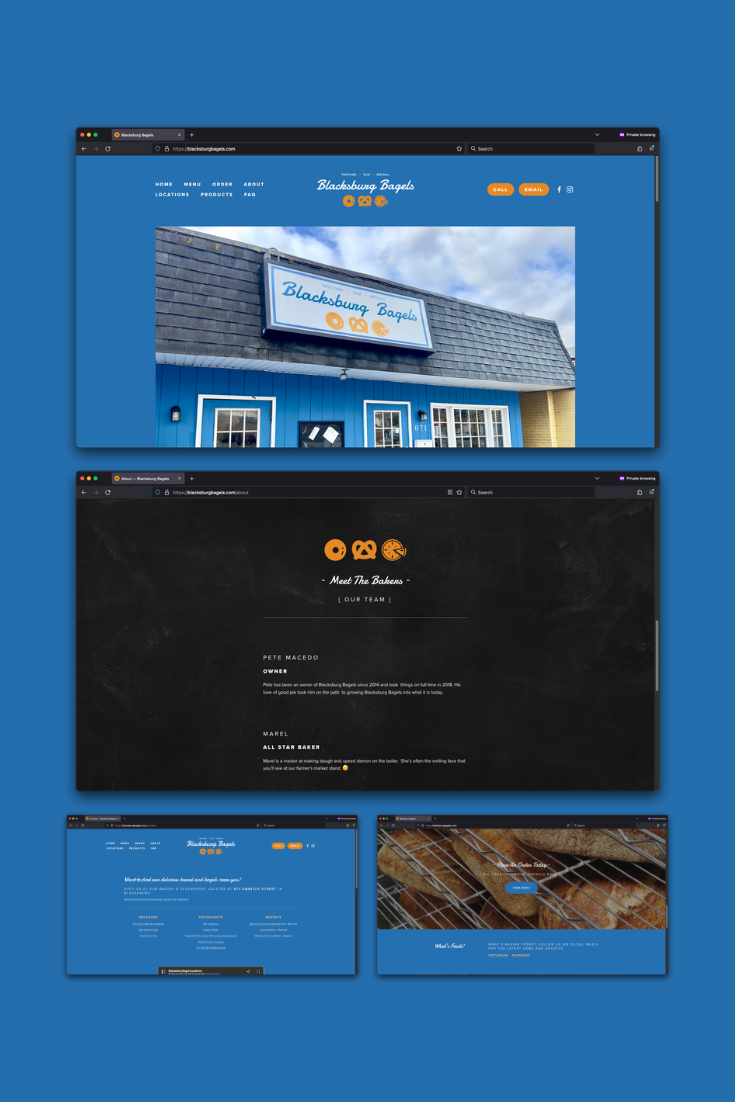
Happy clients who have migrated from WordPress to Squarespace: